 Wyatt
Wyatt
Classifieds app for neighbours
Your neighbours’ classifieds, on a map.
Sell, look for, give away and swap close to home. Wyatt is the local classifieds app built for proximity and for the safety of the whole family.
- Listings on a map
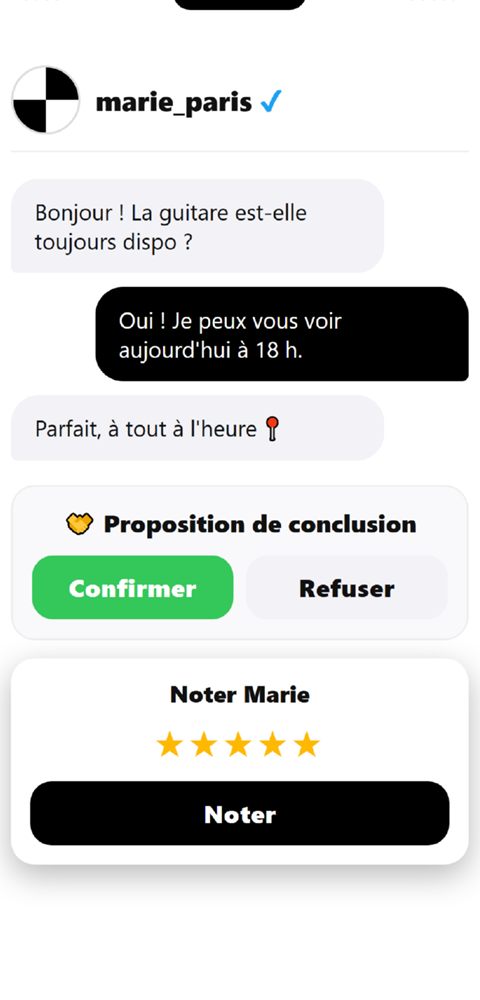
- Private messaging
- Minors protected
- Neighbourhood help
- 3 universes to explore
- Secret code: 10 free listings
- 20 languages
Free. iPhone and iPad on the App Store; Android by direct install during its test phase.
A secret code is hidden in Wyatt
Three fragments, one per universe: passing saucers, shining crystals, a drifting logo… Collect them, enter the code in the app and win 10 free listings. Can you find them?
An app you play like a game
Posting listings raises your level and unlocks titles, colours and secret places. Every screen has its own lively universe, full of surprises.
Your neighbourhood, your rules
Choose your area, get an evening summary, set alerts for what you want and ask neighbours for a hand.
My neighbourhood
Your area is never visible to others. An evening summary, only when there is news.
Learn more →Search alerts
A bike, a pushchair, a gardener: Wyatt tells you as soon as a listing matches.
Learn more →Quick help
A drill to borrow, a sofa to carry: ask your nearby neighbours, adults only.
Learn more →Local jobs
Verified agency and company offers, and job requests near you.
Learn more →Everything for local exchanges
One app to post a listing, find what you need nearby, and trade with confidence.
A map of listings
Your neighbourhood’s listings, right on the map, by category or distance.
Learn more →Private messaging
Chat with neighbours without sharing your number: text, photos, voice notes, location.
Learn more →Fuel alerts
Follow your favourite stations and get told when the price drops, with a savings counter.
Learn more →Safe trip
Share your trip with chosen loved ones, who are alerted if you stop moving.
Learn more →Charging stations
Show electric charging stations around you on the map when you need them.
Learn more →Friends and neighbours
Find people you already know and stay in control of what they see.
Learn more →And also in the app
Every feature has its page: the detail, the rules and the limits.
Communities
Neighbourhood or interest groups, up to 300 members.
Learn more →Events
Drinks, markets, outings: public or among friends.
Learn more →Field reports
Closed road, danger, cheap fuel: 12 categories.
Learn more →Favourites
Save a listing and get told if its price drops.
Learn more →Shop and bonus listings
Earn or buy listings, without any sale of data.
Learn more →Referral
3 listings for each friend who signs up with your code.
Learn more →Car parks and meters
A map marker to park in town.
Learn more →Reviews and verification
“Verified transaction” reviews, identity badge, moderation.
Learn more →Professional accounts
Checked registration, videos, request alerts.
Learn more →Sign-ins and two-step verification
See who signs in to your account, and from where.
Learn more →@username mentions
Mention a neighbour: their name becomes a link to their profile.
Learn more →Notifications
Each notification is set separately.
Learn more →How it works
Three minutes are enough to get started.
Family safety first
Wyatt is designed to protect, especially the youngest.
- Adults and minors kept apart, with parental controls.
- Safety monitoring: abusive behaviour is reported and blocked.
- Safe trip: your loved ones are alerted if something is wrong.
- Sign-in activity and two-step verification.
- You can delete your account at any time.
- A clear privacy policy.
- The “Child safety” page.
In real life, Wyatt helps when…
A house move, a breakdown, a holiday, a rough patch: real situations where a neighbours’ app makes a difference.
I’ve just moved in
Furniture, good addresses and neighbours.
Learn more →Car or bike breakdown
A helping hand a few streets away.
Learn more →Lost or found pet
Alert the neighbourhood in a few taps.
Learn more →Heatwave, storm, power cut
Report, lend, help each other.
Learn more →An elderly, isolated neighbour
Simple gestures that matter.
Learn more →Student: furnishing a home
Second-hand on a small budget.
Learn more →Going on holiday
Pets, plants and mail looked after.
Learn more →Wedding, family party
Borrow equipment instead of buying.
Learn more →A tough end of month
Pick up, sell, find a job.
Learn more →Tradesperson or freelancer
Find your first local clients.
Learn more →Night out, festival
Get home safely, loved ones informed.
Learn more →Clearing a family home
Sort, give, sell, step by step.
Learn more →DIY and renovation
Borrow the tool instead of buying it.
Learn more →My teen wants to sell
A first-time seller, well supervised.
Learn more →Babysitting, private lessons
Choose someone you can trust.
Learn more →Our practical guides
Selling well, saving on fuel, protecting the youngest: simple advice.
Buy or sell close to home, safely
Ten habits for buying, selling or giving between individuals without taking risks.
Learn more →Write a good listing
Title, photos, description and price: the five points that sell faster.
Learn more →Find the cheapest fuel near you
Compare official prices, avoid pitfalls and get told when the price drops.
Learn more →Children and teens on classifieds apps
Settings, family conversation and warning signs to protect a teenager.
Learn more →Frequently asked questions
What is Wyatt?
Wyatt is a local classifieds app: each listing appears on a map where it is, to find or offer items, services and mutual help close to home.
Is Wyatt free?
Yes, the app is free to download and lets you post listings. Optional purchases and subscriptions are offered in the app’s shop.
Which phones can I install Wyatt on?
Wyatt is available on iPhone and iPad through the App Store. The Android version is in a test phase before release.
How do I post a listing on Wyatt?
Open the app, create your account, tap the map where you want, add a title, a description and photos, then publish.
Does Wyatt protect children?
Yes: adults and minors are kept apart, parental controls are offered, and abusive behaviour is reported and blocked.
How do I delete my Wyatt account?
From the app’s settings, or by following the “Delete my account” page on this site.
A question?
Our team will answer. Write to us, we read every message.
Write to us